Skip to content

Choosing a GPU for your workload

choose-gpu

The BMRC cluster has several GPU types across different generations. Picking the right one upfront avoids the common situation of a job queuing for hours to reach a high-end GPU when a smaller one would have been perfectly sufficient — or conversely, a job failing mid-run because it ran out of memory on an underpowered device.

GPU types available

GPU Memory Generation Notes
p100-pcie-16gb 16 GB HBM2 Pascal (2016) Oldest generation, shortest queues
p100-sxm2-16gb 16 GB HBM2 Pascal (2016) Higher memory bandwidth than PCIe variant
v100-pcie-16gb 16 GB HBM2 Volta (2018) Tensor Cores, good general-purpose training
v100-pcie-32gb 32 GB HBM2 Volta (2018) Same as above with more headroom for larger models
quadro-rtx6000 24 GB GDDR6 Turing (2018) Turing Tensor Cores, RT cores (not relevant for HPC)
quadro-rtx8000 48 GB GDDR6 Turing (2018) Large memory, good for models that don't fit on 24 GB
a100-pcie-40gb 40 GB HBM2e Ampere (2020) Significant leap in training throughput, BF16 support
a100-pcie-80gb 80 GB HBM2e Ampere (2020) Best choice for large models; NVLink-capable
l4 24 GB GDDR6 Ada Lovelace (2023) Efficient inference and fine-tuning, lower power draw
GH200 96 GB HBM3 Hopper (2023) Grace Hopper Superchip; unified CPU+GPU memory; highest throughput

How to choose

  • memory
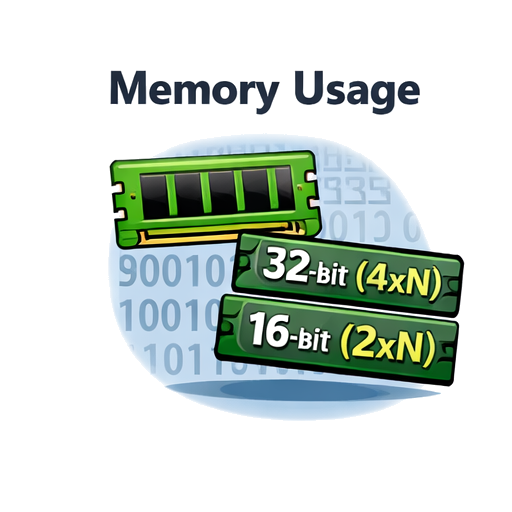
    Memory is usually the binding constraint. Estimate your model's memory footprint first — a rough rule of thumb is that a model with N parameters in float32 needs 4×N bytes, and in mixed precision (float16/bfloat16) around 2×N bytes, before accounting for activations and optimiser states during training. If your model comfortably fits in 16 GB, there is no benefit in queuing for an A100.

  • training
    For training from scratch or large-scale fine-tuning, prefer the A100 variants. The Ampere generation introduced native BF16 Tensor Core support which most modern frameworks (PyTorch ≥ 1.10, TensorFlow ≥ 2.7) exploit automatically, giving substantially higher throughput than equivalent FP16 on earlier hardware.

  • training
    For inference or lightweight fine-tuning (e.g. LoRA on a model that fits in 24 GB), the L4 is a strong choice — it is more power-efficient and typically has shorter queues than the A100s.

  • training
    For very large models that exceed 40 GB — large language models, full-precision foundation model fine-tuning — the A100-80GB or GH200 are the appropriate targets. The GH200's unified CPU–GPU memory architecture is particularly well suited to workloads that stream large datasets, though it is a shared and limited resource.

  • training
    If your job is not memory-bound and primarily needs CUDA parallelism, the V100s are a practical middle ground with good software support and reasonable availability.

  • training
    When in doubt, start small. Run a short test job on a P100 or V100 with a reduced batch size to confirm your code runs correctly and get a rough sense of memory usage before committing to a longer run on a higher-tier GPU.