R
R is available as a module and there are a number of different versions to choose from. If possible, try to use the latest version of R at all times as some of the libraries in both CRAN and Bioconductor can drop support for older versions of R during release cycles.
- Search for available
Rmodules with
Setting up .Rprofile - Dynamic R Library Paths - Version-Aware .Rprofile Configuration
By default, R will install packages to ~/R, which sits in your home directory. Since home directory storage is limited on BMRC,
we recommend redirecting your R library path to your group directory instead:
- Replace
{group}and{username}with your group and username, respectively.
symlink to devel from home
Most users already have a symlink at ~/devel pointing to /well/{group}/users/{username}/devel/. If so, no extra steps are needed — the .Rprofile below will resolve the path automatically via the symlink.
Once the directory exists, create (or edit) ~/.Rprofile and add the following:
r_version <- paste(R.version$major,
                   strsplit(R.version$minor, "\\.")[[1]][1],
                   sep = ".")
platform <- R.version$platform
user_lib <- path.expand(sprintf("~/devel/R/%s-library/%s/", platform, r_version))

if (!dir.exists(user_lib)) {
  message(sprintf("Creating user library: %s", user_lib))
  dir.create(user_lib, recursive = TRUE, showWarnings = FALSE)
}
.libPaths(c(user_lib, .libPaths()))

options(repos = structure(c(CRAN = "https://cloud.r-project.org")))
options(bitmapType = 'cairo')
This snippet detects your current R version and CPU platform at startup, and constructs a versioned library path under ~/devel/R/. For example, for R 4.4 on an x86-64 Linux system, packages will be installed to:
Keeping libraries version-stamped this way avoids binary incompatibility issues when you switch between R versions.
R package installs
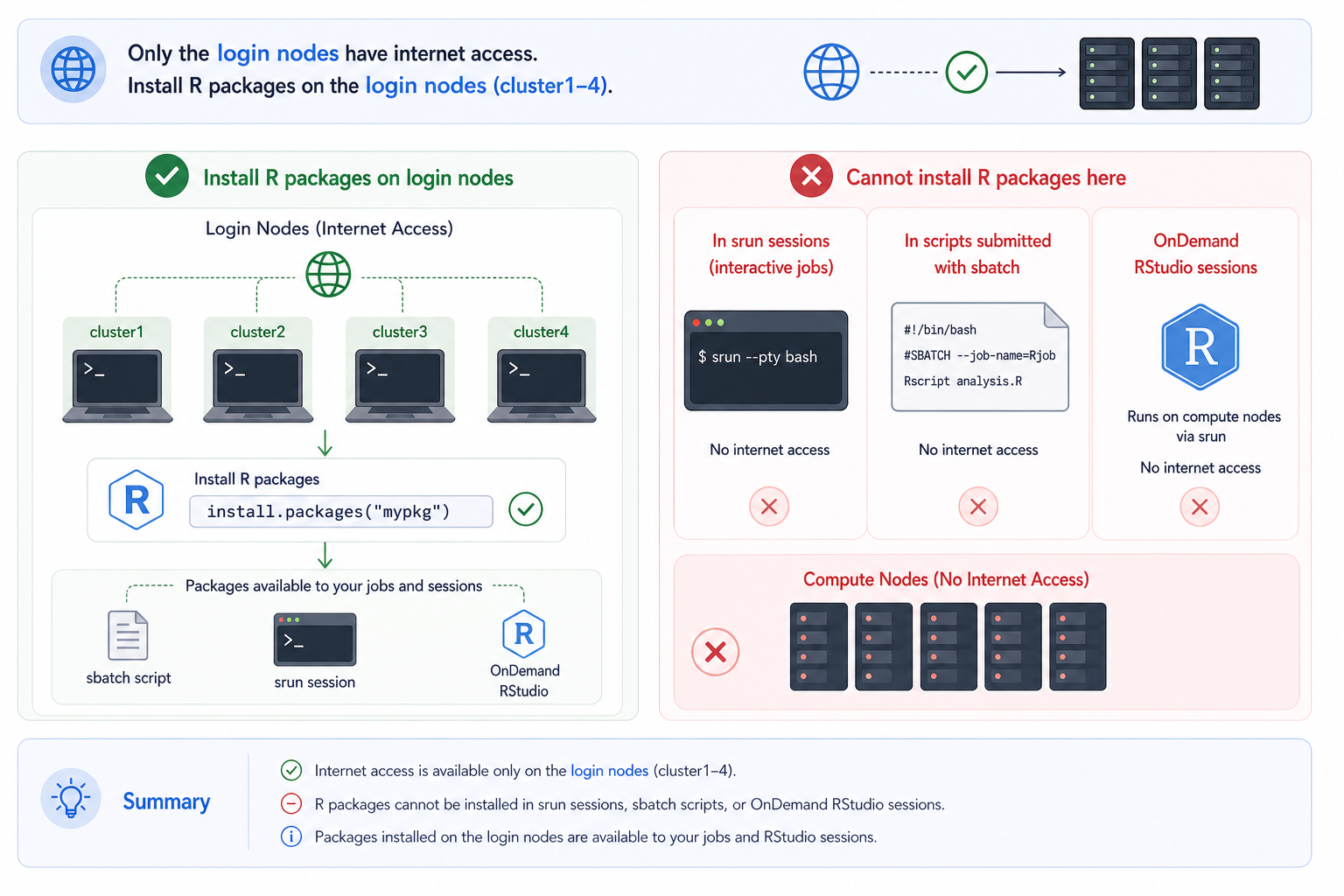
Compute nodes on BMRC do not have internet access, so package installations must be done on a login node. To install packages:
- SSH into the cluster (or Open OnDemand shell)
-
Load your desired R module:
-
Launch the R console:
-
Install packages as normal, e.g.:
CMake dependnecy for some R packages
Some R packages (e.g. those wrapping C++ libraries. An example is fs which is a dependency for Seurat) require CMake during compilation. CMake is not available by default on BMRC login nodes, nor is it bundled with any R module up to and including R/4.5.1-gfbf-2023a-bare-noSciPy1. If a package installation fails with a CMake-related error, load the module before launching R:
You do not need to specify a version — the latest available CMake is always the right choice. This requirement will be resolved from R/4.6* onwards, where CMake will be included as a module dependency automatically.