tmux to support long running terminal sessions
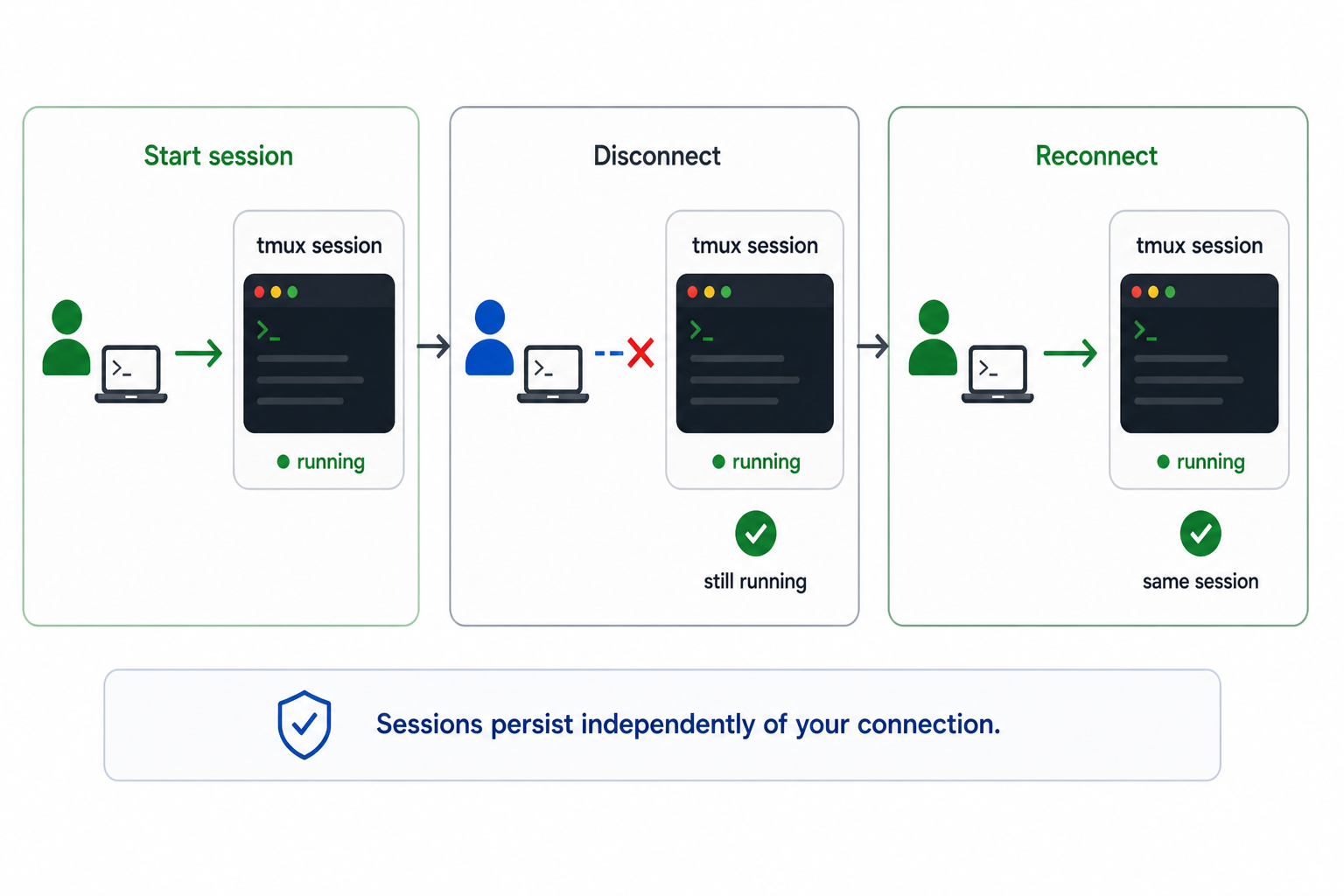
When you connect to the cluster via SSH, your session is tied to that connection — if it drops, any running processes are lost. tmux (terminal multiplexer) solves this by running a persistent session on the login node that survives disconnections. It also lets you split your terminal into multiple panes and windows within a single SSH connection.
Note
The figure above gives an overview of how tmux sits between your SSH client and your shell processes on the login node.
Managing sessions
Open a new session
Always give your session a descriptive name so you can identify it later:
Detach from a session
Detaching leaves the session (and anything running inside it) alive on the server. You can safely close your terminal after detaching.
| Action | Keybind |
|---|---|
| Detach from current session | Ctrl+B then d |
List your sessions
Attach to an existing session
If you only have one session running, tmux attach alone is sufficient.
Kill a session
When you are done and no longer need the session:
Scrolling
By default, the scroll wheel does not work inside tmux. You need to enter copy mode first:
| Action | Keybind |
|---|---|
| Enter copy mode | Ctrl+B then [ |
| Scroll up | Up / Page Up |
| Scroll down | Down / Page Down |
| Exit copy mode | q |
Multiplexing — windows and panes
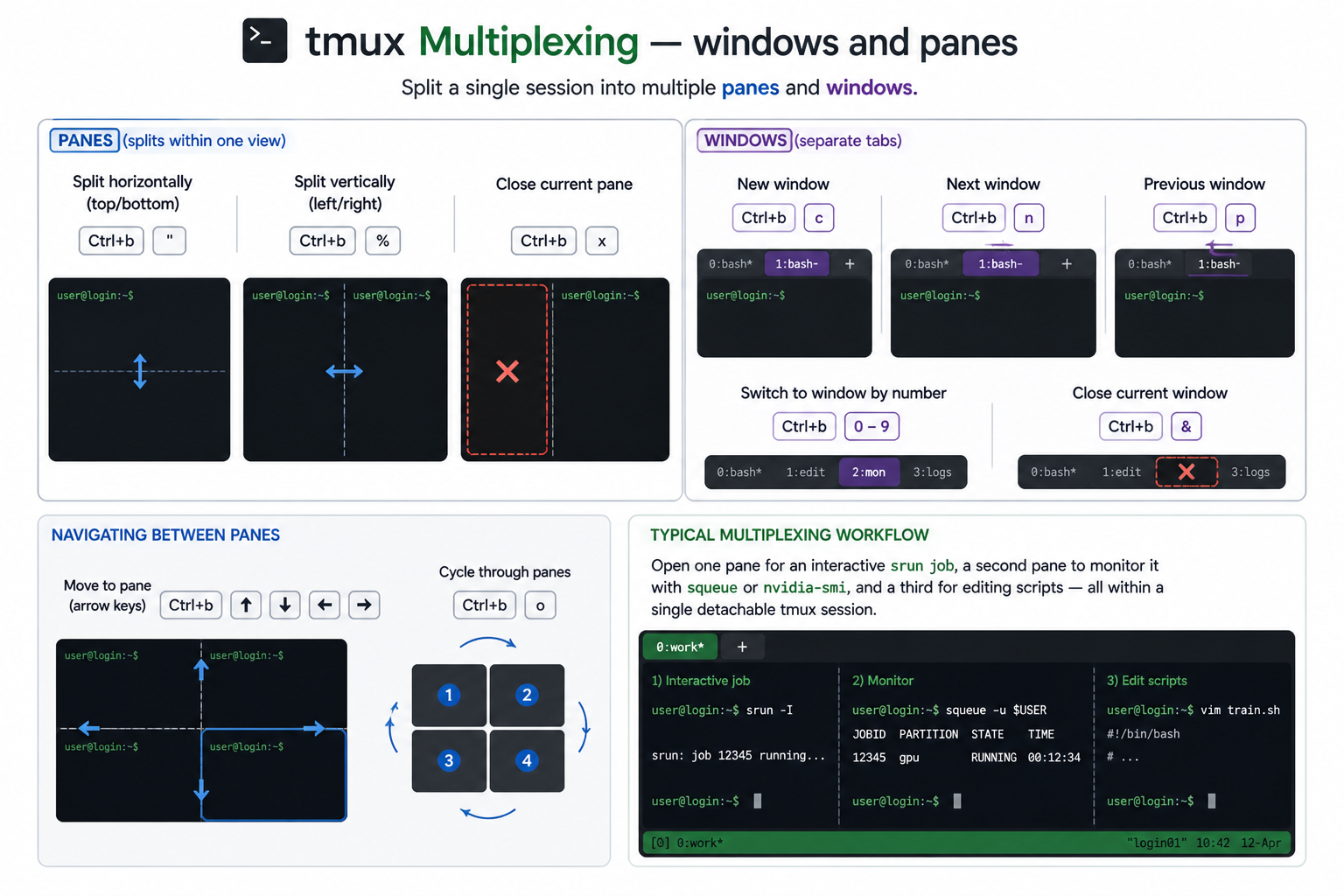
tmux lets you split a single session into multiple panes (splits within one view) and windows (separate tabs).
Panes
| Action | Keybind |
|---|---|
| Split horizontally (top/bottom) | Ctrl+B then " |
| Split vertically (left/right) | Ctrl+B then % |
| Close current pane | Ctrl+B then x |
Windows
| Action | Keybind |
|---|---|
| New window | Ctrl+B then c |
| Next window | Ctrl+B then n |
| Previous window | Ctrl+B then p |
| Switch to window by number | Ctrl+B then 0–9 |
| Close current window | Ctrl+B then & |
Navigating between panes
| Action | Keybind |
|---|---|
| Move to pane (arrow keys) | Ctrl+B then Up / Down / Left / Right |
| Cycle through panes | Ctrl+B then o |
Typical multiplexing workflow
A common pattern on the cluster is to open one pane for an interactive srun job, a second pane to monitor it with squeue or nvidia-smi, and a third for editing scripts — all within a single detachable tmux session.
Troubleshooting
-
"
sessions should be nested with care, unset $TMUX to force"¶This warning appears when you run
tmux new -s <name>from inside an existing tmux sessionIf you're unsure whether you're already inside tmux, check with following command : ( Or check the for green strip on the bottom of the terminal),
-
Cannot connect to or create any tmux sessions
Symptoms: Running
tmux attachortmux newfails with an error similar to:This is typically caused by a stale or corrupted
tmuxsocket directory in/tmp, often left behind after a node reboot or an unclean disconnection.Fix:
This will terminate all running tmux sessions
The steps below delete the
tmuxsocket directory, which kills any active or detached sessions and all processes running inside them. Make sure you are not relying on anything currently running intmuxbefore proceeding.-
Locate your
tmuxdirectory in/tmp. It is named after your numeric user ID: -
Delete it:
-
Start a fresh session:
A non-empty value means you're in an active session.
-